For my Scientific Computing module in year 2, I wrote a program in MATLAB to seamlessly blend two images. It allows you to ‘cut out’ a section of one image and then paste it onto another. The program will then use a process called Poisson Image Blending to make it look like the pasted image belongs in the original photo.
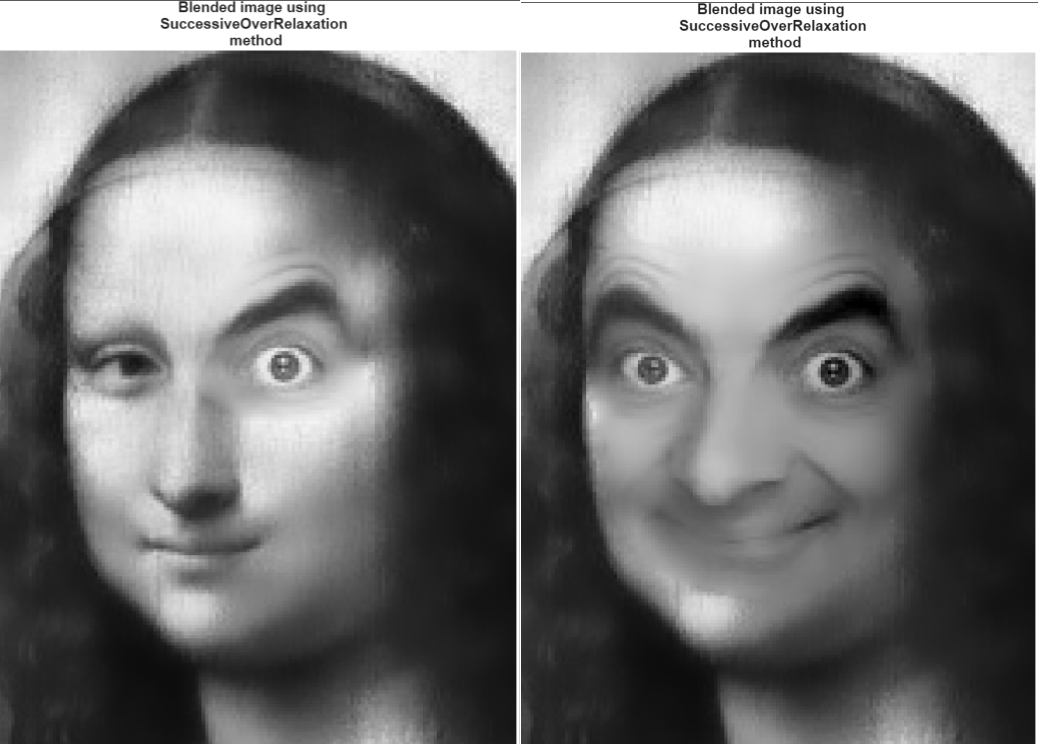
An example of this, superimposing an image of Mr Bean’s facial features onto the Mona Lisa, can be found below.
Unfortunately I cannot provide the exact source code publicly (to prevent cheating from the next cohort doing this project), but I will summarise my thought process. Please contact me (link in the footer) if you are looking for more details :)
Poisson image editing (PIE), also known as Gradient domain image processing, is a method of editing images based on the divergence of their gradient (the second derivative), rather on the values of their pixels. The image can then be reconstructed by double integrating the resulting second order partial differential equation (from the divergence of the gradients) based on some boundary conditions.
This divergence of the gradient is known as the Laplacian.
My implementation explores a specific application of PIE, known as seamless cloning. Seamless cloning is an operation that overlays a source image onto a target image, while blending the colour and brightness data between the two to make the overlaid image seem less out of place (hiding the seam between them). This means that the boundary conditions for the double integration is the pixels from the background image that are bordering the pasted image area.
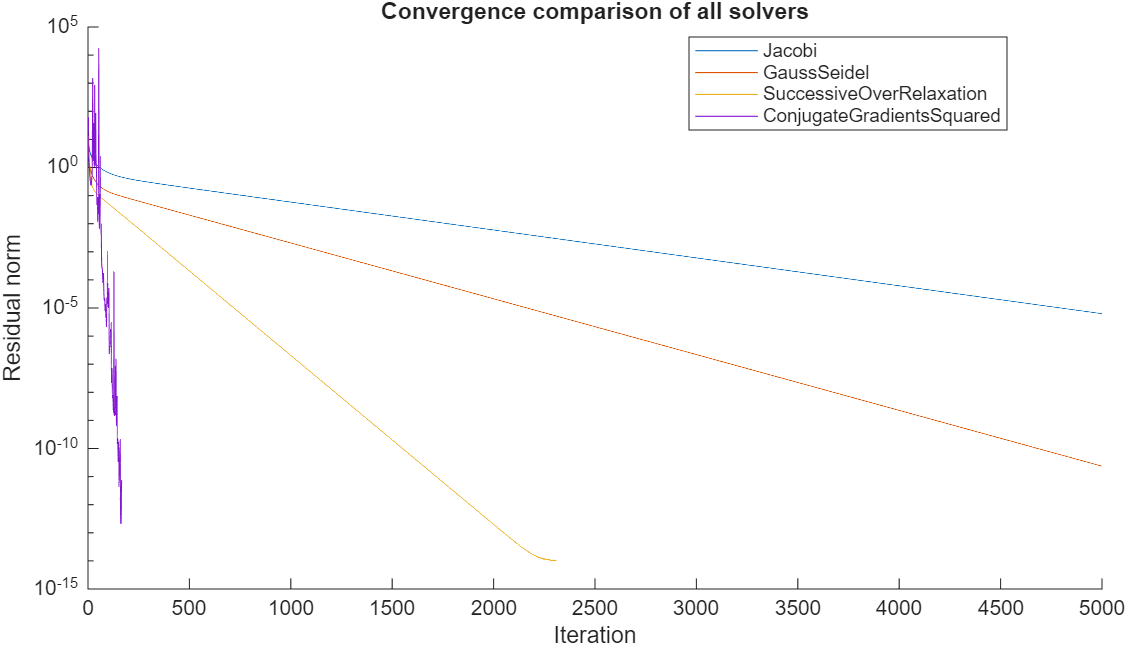
In order to solve this mathematical equation, I implemented and compared a number of different numerical methods for solving them.